Start Tracking Your Reading in Minutes
Bookyno is designed to be simple. No complicated setup, no learning curve. Just download, add your books, and start reading. Here's how it works.
Download Bookyno
Get Bookyno for free on the App Store or Google Play. Install it on your iPhone, iPad, or Android device and create your account in seconds.


Add Your First Book
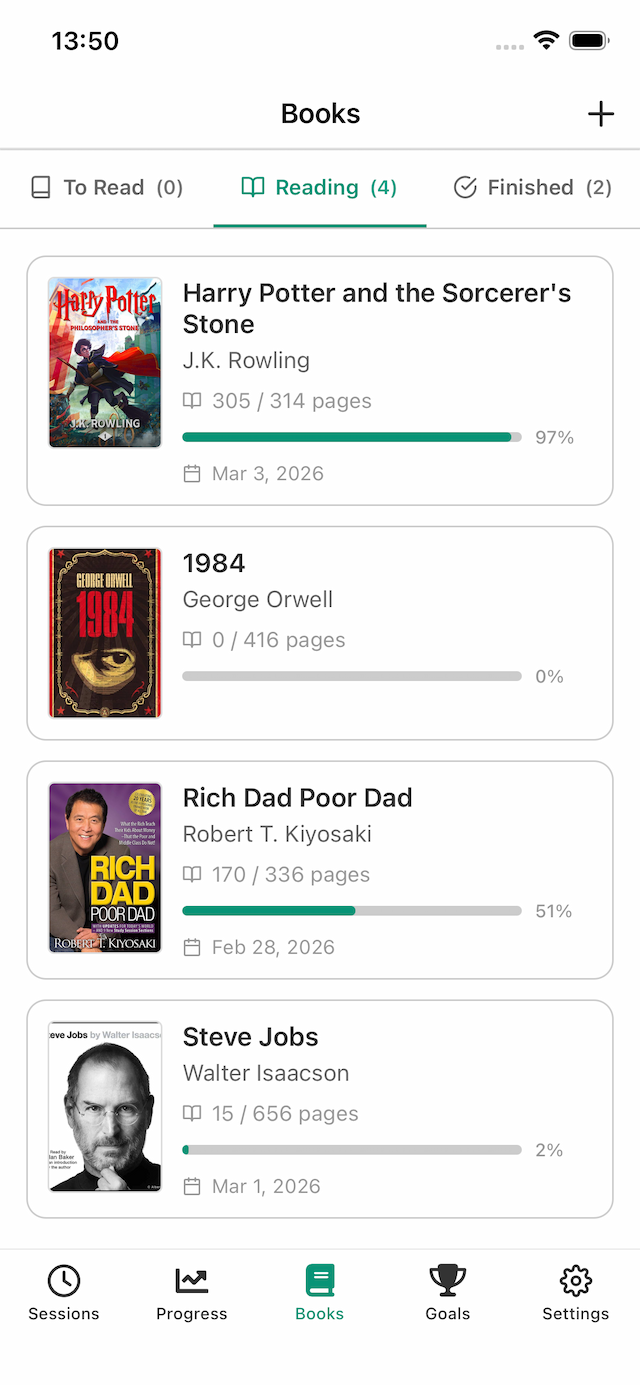
Tap the plus button to add a book. Enter the title, author, and total pages. You can also add a cover image. Your book appears in your library, ready to track.
Start a Reading Session
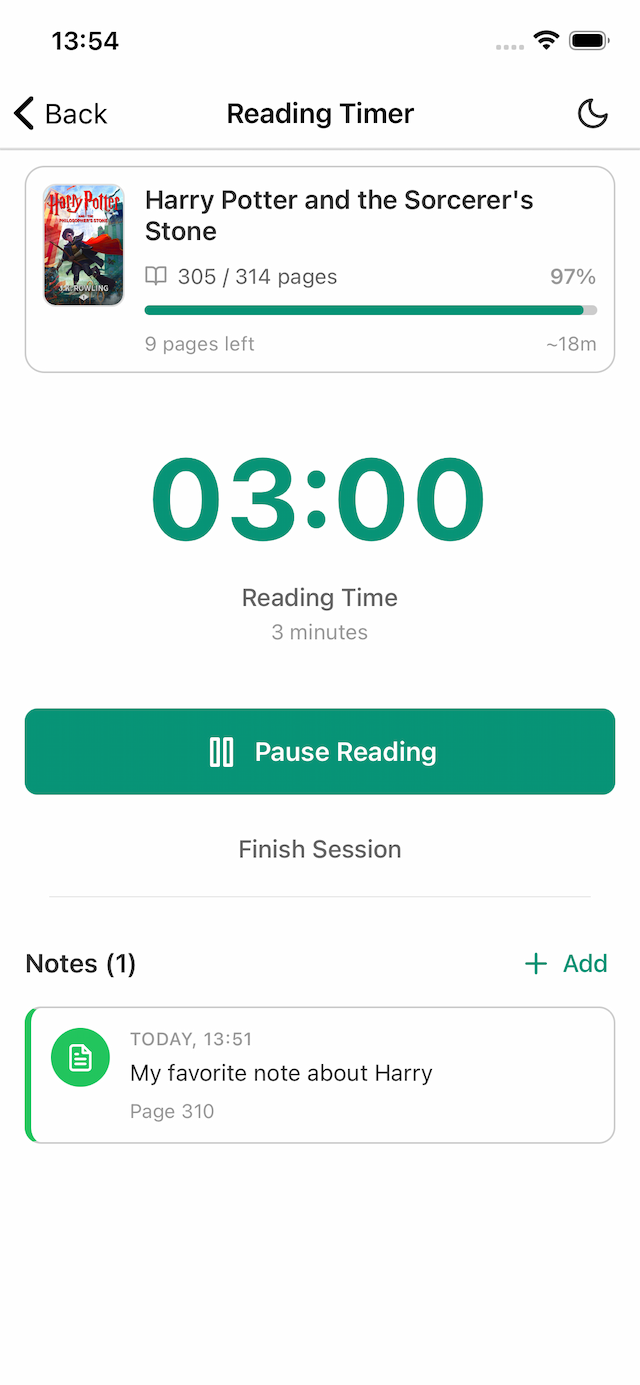
Open your book and tap 'Start Reading' to launch the built-in timer. Read at your own pace. When you're done, tell Bookyno which page you stopped at and the session is saved automatically.
Track Your Progress
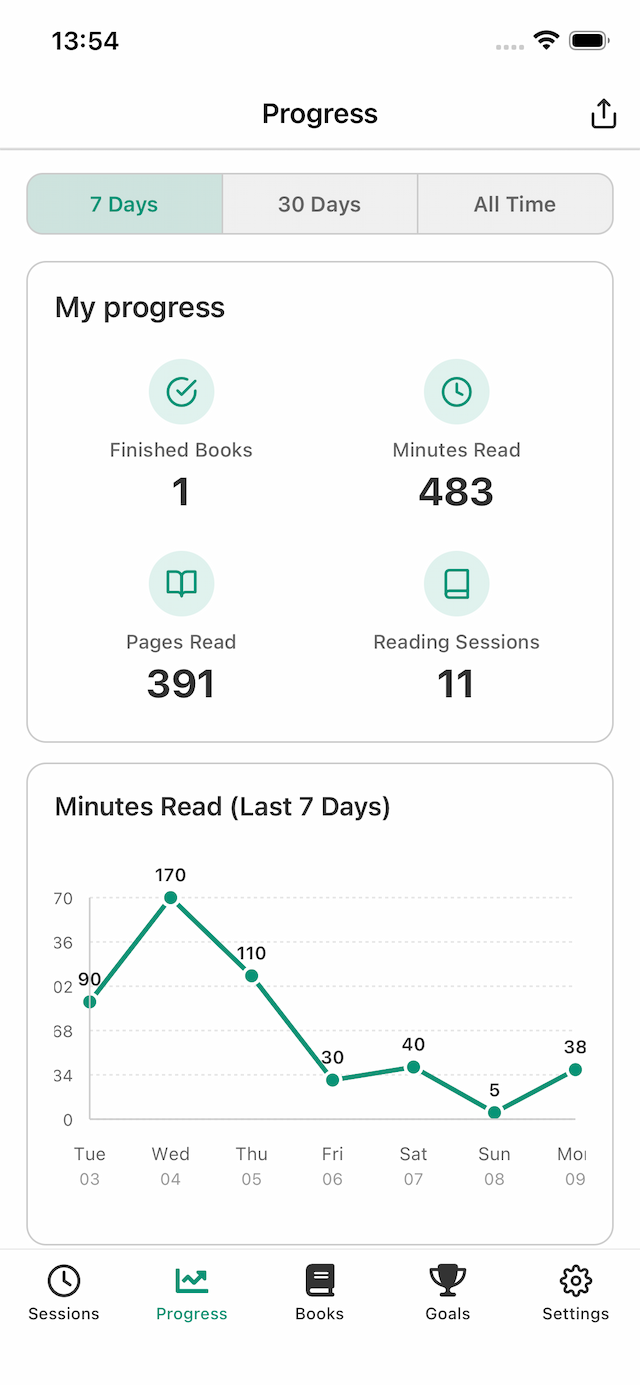
As you log sessions, your statistics update in real time. See your pages read, minutes spent, and books completed. Charts show your reading patterns over the last week, month, or all time.
Set Goals and Stay Motivated
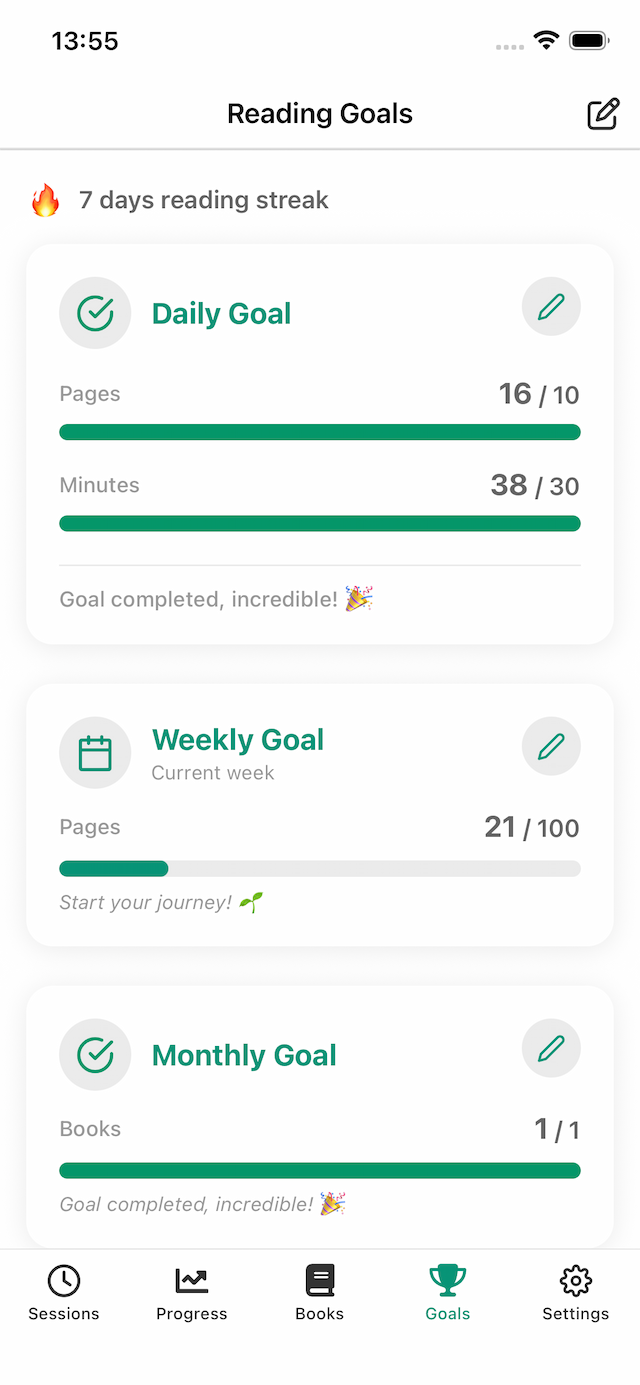
Define daily, weekly, or monthly reading goals. Bookyno tracks your streaks and shows how close you are to each target. Build consistency and celebrate your achievements.
Ready to Start?
Download Bookyno for free and begin your reading journey today.